
Appearance
Diagnostics
RedEngine diagnostics assigns every system a named log channel and sends formatted messages to one or more receivers. Hierarchical settings let a broad rule cover a module while a child channel uses a different verbosity, color, or stack-trace policy.
Create a log channel
csharp
using RedEngine.Diagnostics;

private static readonly LogChannel Logger = "Gameplay.Combat.Damage";

Logger.LogInfo("Damage subsystem ready");
Logger.LogWarning("Target had no resistance attribute");
Logger.LogError("Damage result was not finite");
Dots create a settings hierarchy; they do not merge log output. Choose stable names based on the feature rather than the class so refactoring does not silently change production filtering.
Configure the logger section
Select Assets/Resources/EngineSettings.asset, press Add Section, and add Diagnostics/Logger. The RedEngine.Diagnostics.LoggerSettings section provides defaults and a list of namespace overrides. Each entry controls:
- minimum verbosity:
Disabled,Info,Warning, orError; - prefix color;
- stack-trace capture.
Resolution starts with the complete channel and walks toward its parents:
text
Gameplay                 Warning
Gameplay.Combat          Info
Gameplay.Combat.Damage   Error
Gameplay.Combat.Damage.Critical inherits Error from Gameplay.Combat.Damage, while Gameplay.Combat.Targeting inherits Info from Gameplay.Combat. An exact child entry wins.
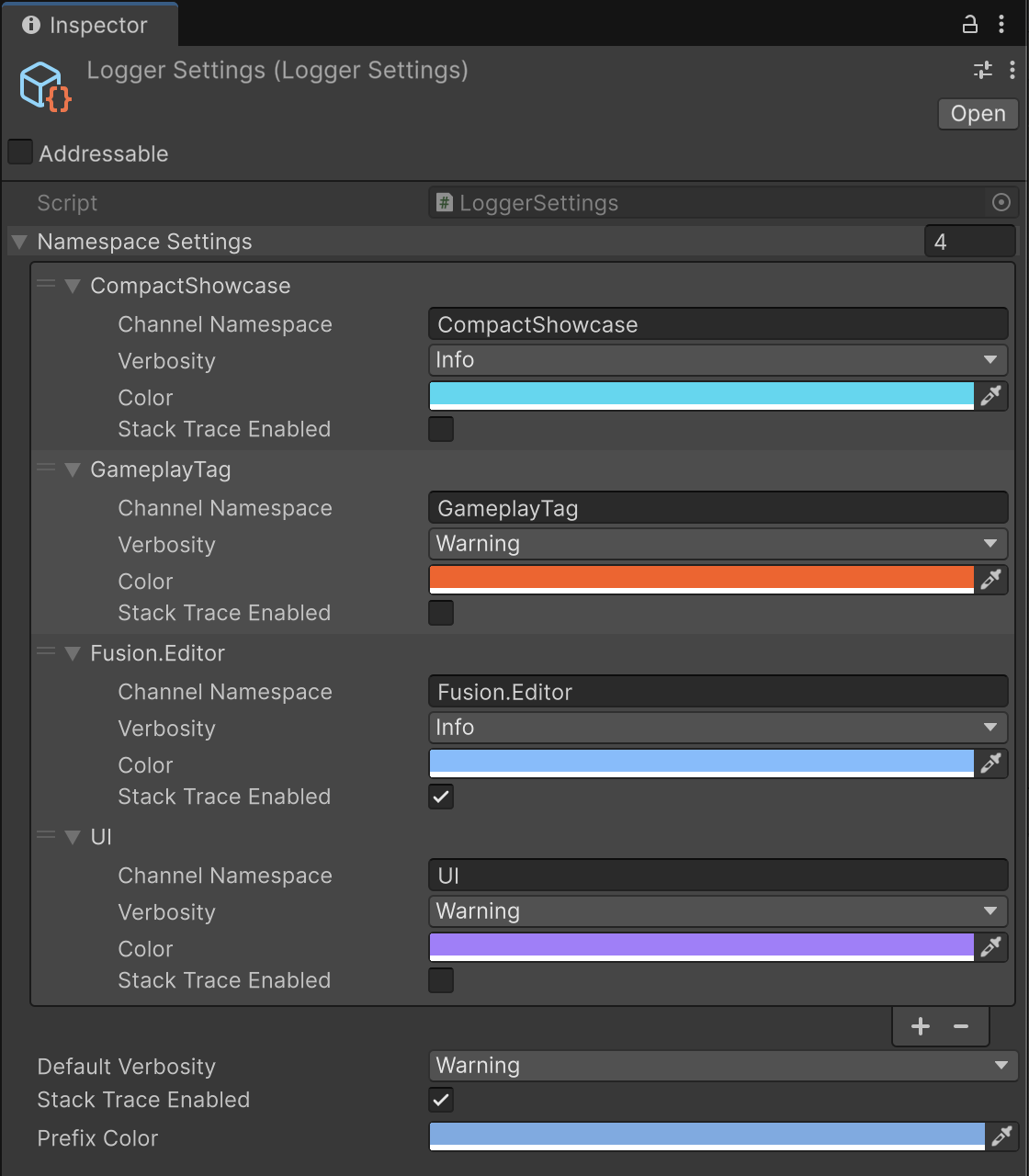
Inspector changes refresh settings already cached by live channels. A channel without a matching namespace uses the default verbosity, color, and stack-trace configuration.
Receivers
At startup, Logger configures receivers for the active platform:
BufferedLogReceiverretains up to 1000 messages for the developer console;EngineLogReceiverwrites to Unity's log in the Editor and on mobile platforms;FileLogReceiverwrites a persistent log file.
Add a project destination by implementing ILogReceiver and inserting it into Logger.Receivers. Keep receivers lightweight: logging can occur in hot gameplay paths, and a remote transport should queue uploads instead of blocking simulation.
csharp
public sealed class TelemetryLogReceiver : ILogReceiver
{
    private readonly ConcurrentQueue<(ELogVerbosity, string)> pending = new();

    public void Log(ELogVerbosity verbosity, string message) =>
        pending.Enqueue((verbosity, message));

    public bool TryDequeue(out (ELogVerbosity, string) entry) =>
        pending.TryDequeue(out entry);
}
Own registration from a service with an explicit lifetime:
csharp
private readonly TelemetryLogReceiver telemetry = new();

public override void Initialize(ISubsystemCollection<GameInstance> collection)
{
    base.Initialize(collection);
    Logger.Receivers.Add(telemetry);
}

public override void Deinitialize()
{
    Logger.Receivers.Remove(telemetry);
    base.Deinitialize();
}
The receiver gets the already formatted message. Drain the queue from a suitable local update or background transport, and never use delivery success as gameplay state.
A practical channel layout
text
GameInstance
World
Subsystems
Gameplay.Abilities
Gameplay.Combat.Damage
Gameplay.Inventory
UI.Navigation
UI.WorldMarkers
Content.Bundles
During development, enable Info on one branch instead of turning the entire project verbose. For a release build, leave warnings and errors active on broad parent channels and opt selected children out only after their failure modes are covered elsewhere.
Next: inspect logs and run development commands through the Developer Console.